-
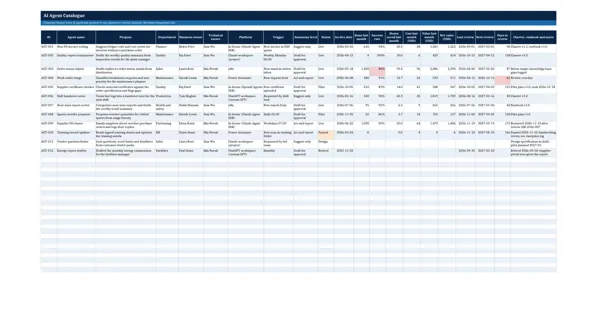
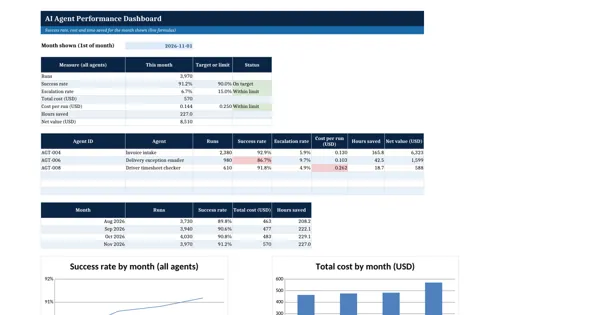 Excel workbook preview
AI Agents and Workflow Automation
AI Agent Performance Dashboard (success rate, cost, time saved)
3 downloads per free account, no card needed.
Who this is for
The steering group wants a monthly view of whether each AI agent is getting better, what it costs and what it saves, on one page.
What is inside
- 12 example rows: three agents over four months at a logistics firm
- Success rate, escalation rate, cost per run, hours saved and net value calculate per row
- Count check flags rows where outcomes do not add up to runs
- Dashboard for a chosen month with status against targets set on a Settings sheet
- Per-agent table for the month with red and amber against targets and limits
- Trend table with a success rate line chart and a cost bar chart
How to use it: Add one row per agent each month from its run log, set targets on the Settings sheet and type the month to show on the Dashboard.
Files & formats
- XLSXai-agent-performance-dashboard.xlsx18 KB
Opens in Microsoft Word or Excel, Google Docs or Sheets and LibreOffice. Delivered instantly from your browser.
Free downloads & full access
Every account gets 3 free downloads. Re-downloading a template you already have does not count. This template on its own is $17.99, and buying it keeps your free downloads for something else. Full access is a one-time $249 for all 300 templates, for life.
Bought with a different email? Open your account and enter your order number.
Licence
Use and adapt the document inside your own organisation or for your own clients. Do not resell or republish the templates themselves.