-
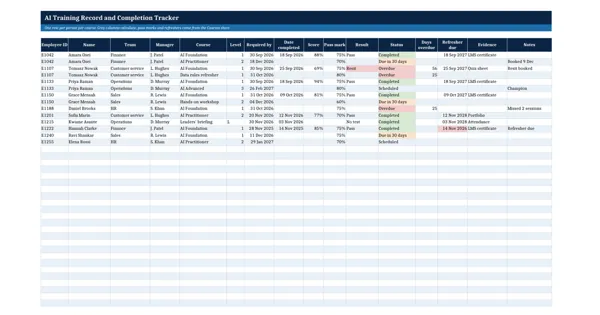 Excel workbook preview
AI Adoption, Training and Change
AI Training Record and Completion Tracker
3 downloads per free account, no card needed.
Who this is for
The managing director asked how many staff have completed the AI training, who is overdue and when refreshers fall due.
What is inside
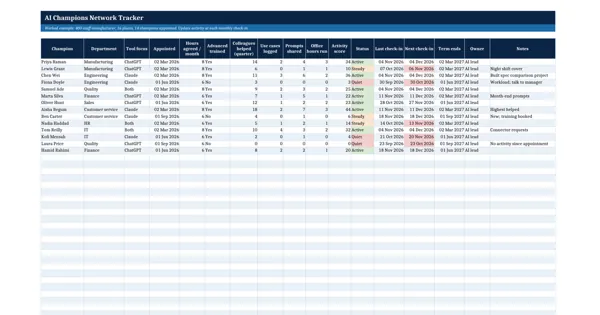
- Courses sheet sets duration, pass mark and refresher interval for 6 courses
- Result turns Pass or Resit from the score and the course pass mark
- Status calculates Completed, Due or Overdue from today's date
- Refresher due date from completion date plus the course refresher months
- Summary sheet: completion rate by team, overdue count and a bar chart
- 14 sample records and 24 blank rows with dropdowns for team and course
How to use it: List your AI courses on the Courses sheet first, then add one row per person per course; the Summary sheet updates itself.
Files & formats
- XLSXai-training-record-and-completion-tracker.xlsx17 KB
Opens in Microsoft Word or Excel, Google Docs or Sheets and LibreOffice. Delivered instantly from your browser.
Free downloads & full access
Every account gets 3 free downloads. Re-downloading a template you already have does not count. This template on its own is $17.99, and buying it keeps your free downloads for something else. Full access is a one-time $249 for all 300 templates, for life.
Bought with a different email? Open your account and enter your order number.
Licence
Use and adapt the document inside your own organisation or for your own clients. Do not resell or republish the templates themselves.