-
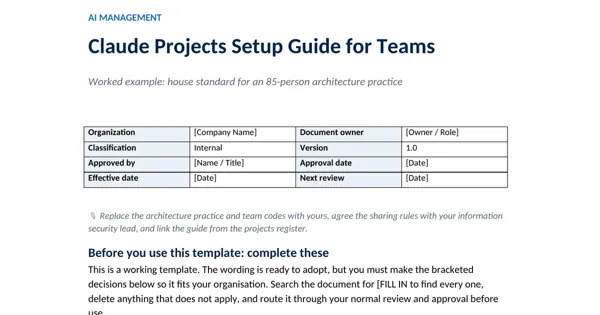 Word document preview
Claude at Work
Claude Projects Setup Guide for Teams
3 downloads per free account, no card needed.
Who this is for
Twenty projects appeared in the first month with no owners or naming, and the AI lead needs a short house standard before the workspace becomes a jumble.
What is inside
- Decision table for when to use a project and what to use instead
- Naming convention with team codes and worked project names
- Eight set-up steps from request to first shared use
- Sharing table for private, Can view, Can edit and organisation-wide projects
- Knowledge file rules on source, freshness and duplicates
- Lifecycle table with owner, timing and record for each stage
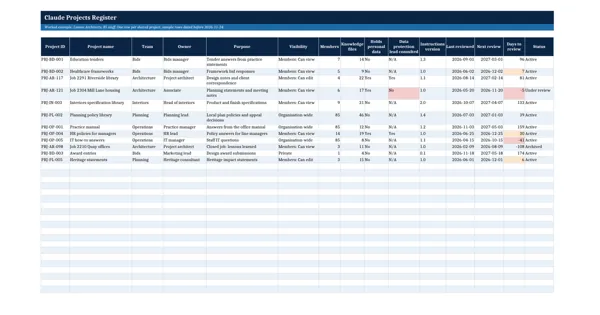
How to use it: Replace the architecture practice and team codes with yours, agree the sharing rules with your information security lead, and link the guide from the projects register.
Files & formats
- DOCXclaude-projects-setup-guide-for-teams.docx40 KB
Opens in Microsoft Word or Excel, Google Docs or Sheets and LibreOffice. Delivered instantly from your browser.
Free downloads & full access
Every account gets 3 free downloads. Re-downloading a template you already have does not count. This template on its own is $12.99, and buying it keeps your free downloads for something else. Full access is a one-time $249 for all 300 templates, for life.
Bought with a different email? Open your account and enter your order number.
Licence
Use and adapt the document inside your own organisation or for your own clients. Do not resell or republish the templates themselves. ChatGPT and OpenAI are trademarks of OpenAI; Claude and Anthropic are trademarks of Anthropic. These templates are independent and are not affiliated with, endorsed or sponsored by any AI provider. Plans, features and prices change: check the provider's current pages.